คู่มือการใช้งาน API Key
ตัวอย่างการเรียกใช้ API ตรวจสอบ URL ด้วย API Key พร้อมรายละเอียดของ response
1. การขอรับ API Key
หลังจากเข้าสู่ระบบแล้วให้กดเลือกเมนู ขอรับ API Key:
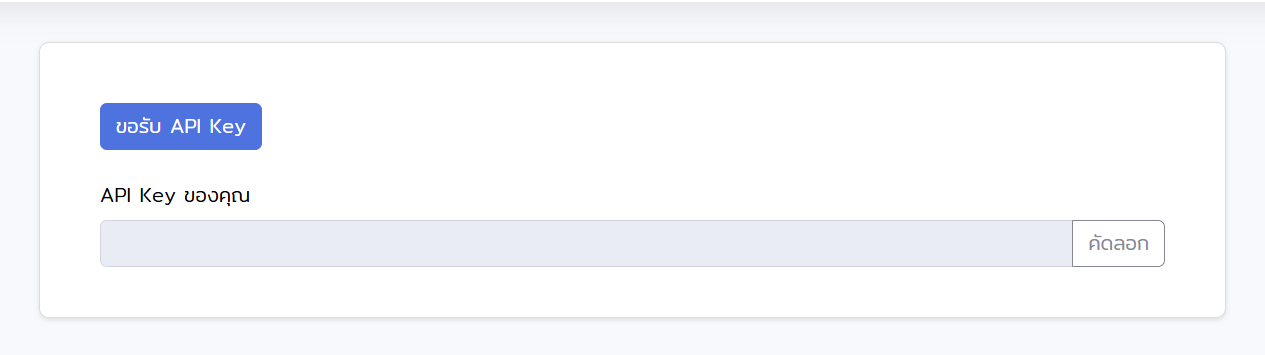
กดปุ่ม ขอรับ API Key ตามรูปด้านบน จากนั้นเมื่อ API Key ปรากฏบนหน้าจอ ให้กดปุ่ม คัดลอก เพื่อนำไปใช้งานในระบบ
2. Endpoint
ส่ง POST ไปยัง endpoint ด้านล่าง โดยส่ง URL ที่ต้องการตรวจเป็น query parameter และส่ง API Key ผ่าน HTTP header ชื่อ Authorization:
POST https://thaiphishtank.org/api/phishing-url?url=URL
Authorization: Bearer YOUR_API_KEY
url— URL ที่ต้องการตรวจสอบ (query parameter)Authorization— API Key ที่ได้รับจากระบบ ส่งในรูปแบบ Bearer token (HTTP header)
หมายเหตุ: เพื่อรองรับโค้ดเดิม ระบบยังคงรับ API Key ผ่าน query parameter ?api_key= ได้ แต่วิธีนี้ทำให้ API Key รั่วไหลออกไปยัง access log ของเว็บเซิร์ฟเวอร์ จึงแนะนำให้เปลี่ยนมาใช้ Authorization header แทน
3. ใช้งานผ่านคำสั่ง curl
ตัวอย่างการเรียกผ่าน curl:
curl -X POST "https://thaiphishtank.org/api/phishing-url?url=https://example.com" \
     -H "Authorization: Bearer YOUR_API_KEY"
4. ใช้งานผ่าน Python
ใช้ไลบรารี requests เพื่อส่งคำขอและตัดสินใจจากฟิลด์ result + detection_type:
import requests

url = "https://thaiphishtank.org/api/phishing-url"
params = {"url": "https://example.com"}
headers = {"Authorization": "Bearer YOUR_API_KEY"}

response = requests.post(url, params=params, headers=headers)
data = response.json()

if data["result"] == "phishing":
    print(f"[!] Phishing detected via {data['detection_type']}")
elif data["result"] == "safe":
    print(f"[OK] Safe (verified by {data['detection_type']})")
else:
    print(f"[?] Unable to determine: {data.get('message')}")
5. รูปแบบ Response
ทุก response จะมีฟิลด์หลัก 3 ตัวคือ code, result, detection_type ใช้สรุปคำตัดสินและแหล่งที่มา และฟิลด์อื่นๆ ที่เกี่ยวข้องตามแต่ละกรณี
| ฟิลด์ | ชนิด | ค่า / คำอธิบาย |
|---|---|---|
code |
int | 200, 201, 301, 400, 401, 500 |
result |
string | safe, phishing, NA |
detection_type |
string | whitelist database, blacklist database, google safe browsing, ML, Unable to detect |
warning |
bool | true เมื่อระบบตรวจจับให้ผลขัดแย้งกัน (split decision) |
warning_message |
string | ข้อความเตือนที่ควรแสดงให้ผู้ใช้เมื่อ warning เป็น true |
url |
string | URL ที่ถูกส่งมาตรวจสอบ |
message |
string | ข้อความสรุปแบบมนุษย์อ่าน (สำหรับแสดงผล) |
6. ตารางอ้างอิงรหัสตอบกลับ
ความหมายของแต่ละ code, result, detection_type:
code |
result |
detection_type |
เมื่อใด |
|---|---|---|---|
| 200 | safe | whitelist database | URL หรือ domain อยู่ใน whitelist (รวมถึง TLD ทางการของไทยเช่น .go.th, .ac.th) |
| 201 | phishing | blacklist database | URL พบใน blacklist ของระบบ |
| 301 | phishing | google safe browsing | Google Safe Browsing ระบุว่าเป็นฟิชชิง (ข้ามขั้นตอน ML) |
| 400 | safe | ML | โมเดล ML ระบุว่าปลอดภัย (Safe Browsing เห็นด้วยหรือไม่พร้อมใช้งาน) |
| 401 | phishing | ML | โมเดล ML ระบุว่าเป็นฟิชชิง (Safe Browsing เห็นด้วย, ไม่พร้อมใช้งาน หรือไม่เห็นด้วยและฝั่ง ML ชนะ) |
| 500 | NA | Unable to detect | ไม่สามารถตัดสินได้ — รูปแบบ URL ไม่ถูกต้อง, โดเมนไม่มีจริง, ออฟไลน์, สกัดคุณลักษณะไม่ได้ หรือข้อผิดพลาดอื่นๆ |
7. ตัวอย่าง Response
ปลอดภัย (พบใน whitelist)
{
  "code": 200,
  "result": "safe",
  "detection_type": "whitelist database",
  "url": "https://google.com",
  "domain_name": "google.com",
  "message": "The URL https://google.com has been verified as safe by our system and Google Safe Browsing.",
  "prediction": "safe"
}
ฟิชชิง (ตรวจจับโดย ML)
{
  "code": 401,
  "result": "phishing",
  "detection_type": "ML",
  "url": "https://suspicious-site.example/login",
  "domain_name": "suspicious-site.example",
  "message": "https://suspicious-site.example/login has been flagged as a phishing site by our system and Google Safe Browsing.",
  "prediction": "phishing"
}
ผลขัดแย้ง — มีคำเตือน (warning = true)
{
  "code": 401,
  "result": "phishing",
  "detection_type": "ML",
  "warning": true,
  "warning_message": "WARNING: Detection systems disagree. Our ML model flagged this URL as PHISHING, but Google Safe Browsing reports it as SAFE. Proceed with caution.",
  "url": "https://uncertain.example/",
  "our_system": "Phishing",
  "safe_browsing": "Safe",
  "prediction": "split"
}
ไม่สามารถตัดสินได้ (โดเมนไม่มีจริง)
{
  "code": 500,
  "result": "NA",
  "detection_type": "Unable to detect",
  "url": "https://does-not-exist.invalid/",
  "message": "The domain does not exist. Please check the URL and try again.",
  "prediction": "not_exist"
}
8. ตัวอย่างการประมวลผลฝั่ง client
ตัวอย่างการใช้ field result + warning เพื่อแสดงผลกับผู้ใช้:
data = response.json()

# Block dangerous URLs
if data["result"] == "phishing":
    block(data["url"])

# Show a caution banner when detectors disagree
if data.get("warning"):
    show_warning(data["warning_message"])

# Treat NA as "cannot decide — fail closed or ask the user"
if data["result"] == "NA":
    review_manually(data["url"])