API Key Usage Guide
Examples of calling the URL-detection API with an API Key, including the response format.
1. Requesting an API Key
After logging in, select the 'Request API Key' menu:
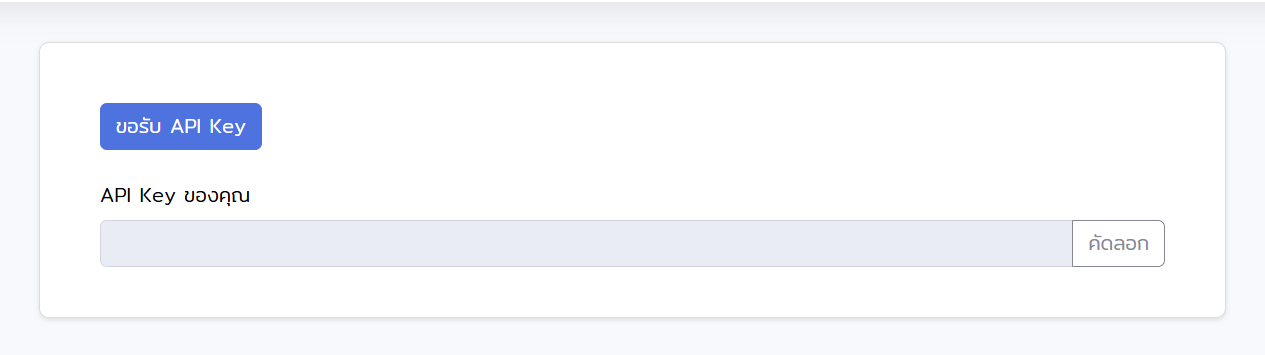
Click the 'Request API Key' button as shown above. Once the API Key appears on the screen, click 'Copy' to use it in the system.
2. Endpoint
Send a POST request to the endpoint below. Pass the URL to check as a query parameter, and send your API key in the Authorization HTTP header:
POST https://thaiphishtank.org/api/phishing-url?url=URL
Authorization: Bearer YOUR_API_KEY
url— The URL to check (query parameter)Authorization— Your API key, sent as a Bearer token (HTTP header)
Note: For backward compatibility the API still accepts ?api_key= as a query parameter, but doing so leaks the key into web-server access logs. Switch to the Authorization header for new integrations.
3. Using curl
Example using curl:
curl -X POST "https://thaiphishtank.org/api/phishing-url?url=https://example.com" \
     -H "Authorization: Bearer YOUR_API_KEY"
4. Using Python
Use the requests library to call the API and branch on the result + detection_type fields:
import requests

url = "https://thaiphishtank.org/api/phishing-url"
params = {"url": "https://example.com"}
headers = {"Authorization": "Bearer YOUR_API_KEY"}

response = requests.post(url, params=params, headers=headers)
data = response.json()

if data["result"] == "phishing":
    print(f"[!] Phishing detected via {data['detection_type']}")
elif data["result"] == "safe":
    print(f"[OK] Safe (verified by {data['detection_type']})")
else:
    print(f"[?] Unable to determine: {data.get('message')}")
5. Response format
Every response includes three top-level fields — code, result, detection_type — which summarise the verdict and where it came from. The body also includes contextual fields described below.
| Field | Type | Values / description |
|---|---|---|
code |
int | 200, 201, 301, 400, 401, 500 |
result |
string | safe, phishing, NA |
detection_type |
string | whitelist database, blacklist database, google safe browsing, ML, Unable to detect |
warning |
bool | true when detection systems disagreed (split decision) |
warning_message |
string | Caution text to surface to the user when warning is true |
url |
string | Echo of the URL that was checked |
message |
string | Human-readable summary message (for display) |
6. Code reference table
The meaning of each code / result / detection_type combination:
code |
result |
detection_type |
When |
|---|---|---|---|
| 200 | safe | whitelist database | URL or domain matched the whitelist (also includes official Thai TLDs like .go.th, .ac.th) |
| 201 | phishing | blacklist database | URL was found in the blacklist database |
| 301 | phishing | google safe browsing | Google Safe Browsing flagged the URL (ML step is skipped) |
| 400 | safe | ML | ML model classified as safe (Safe Browsing agreed or was unavailable) |
| 401 | phishing | ML | ML model classified as phishing (Safe Browsing agreed, was unavailable, or disagreed and phishing-wins) |
| 500 | NA | Unable to detect | Cannot decide — invalid URL format, domain doesn't exist, offline, feature extraction failed, or unhandled error |
7. Example responses
Safe (whitelist hit)
{
  "code": 200,
  "result": "safe",
  "detection_type": "whitelist database",
  "url": "https://google.com",
  "domain_name": "google.com",
  "message": "The URL https://google.com has been verified as safe by our system and Google Safe Browsing.",
  "prediction": "safe"
}
Phishing (detected by ML)
{
  "code": 401,
  "result": "phishing",
  "detection_type": "ML",
  "url": "https://suspicious-site.example/login",
  "domain_name": "suspicious-site.example",
  "message": "https://suspicious-site.example/login has been flagged as a phishing site by our system and Google Safe Browsing.",
  "prediction": "phishing"
}
Split decision — includes warning fields
{
  "code": 401,
  "result": "phishing",
  "detection_type": "ML",
  "warning": true,
  "warning_message": "WARNING: Detection systems disagree. Our ML model flagged this URL as PHISHING, but Google Safe Browsing reports it as SAFE. Proceed with caution.",
  "url": "https://uncertain.example/",
  "our_system": "Phishing",
  "safe_browsing": "Safe",
  "prediction": "split"
}
Unable to detect (domain does not exist)
{
  "code": 500,
  "result": "NA",
  "detection_type": "Unable to detect",
  "url": "https://does-not-exist.invalid/",
  "message": "The domain does not exist. Please check the URL and try again.",
  "prediction": "not_exist"
}
8. Recommended client-side handling
Suggested pattern for branching on the result and warning fields:
data = response.json()

# Block dangerous URLs
if data["result"] == "phishing":
    block(data["url"])

# Show a caution banner when detectors disagree
if data.get("warning"):
    show_warning(data["warning_message"])

# Treat NA as "cannot decide — fail closed or ask the user"
if data["result"] == "NA":
    review_manually(data["url"])